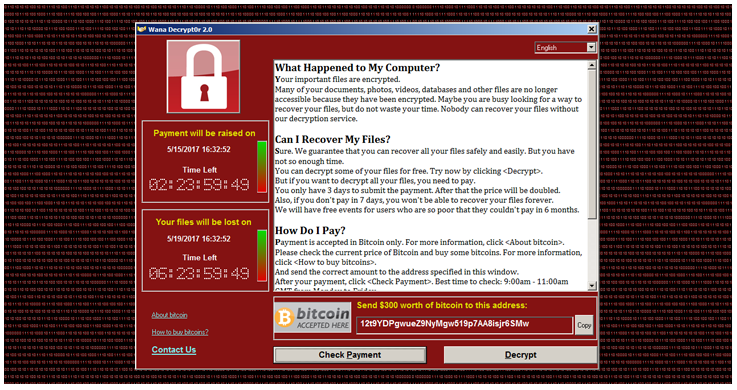
On my previous blog, I have shared my knowledge on how wannacry/cryware Ransomware has been infecting the computers worldwide. This ransomware that spreads like a worm by leveraging vulnerabilities that have been previously fixed. While security updates are automatically applied in most computers, some users and enterprises may delay deployment of patches. While the attack
HI, back again to the blog. This time I have been doing research for the ‘GROUP POLICY EDITOR’ for server 2008 R2 and Server 2012. During my research I found that ‘GPMC’ is a quite vast tool and can control almost everything of the system on AD. Here I have created a custom group policy
After a long time I am again back to my blog….it has been almost 2 months I was on vacation. Now just returned to my normal life. Few days ago, I have an issue of creating a automatic shortcut on the desktop of the machine which was the member of the domain. I Struggle with
Few months ago I had blogged the virtual XP mode in the in Windows 7….Where you can use all your real hardware in the virtual mode of XP which was the great facility for us…if also our hardware was not capable to run in the Windows 7 we can easily go to the virtual mode and
Microsoft Redmond has released it successive version of IE8 on the test version under the name of IE9. As Predicted this is some big stuff for the Microsoft as from MIX10.As we know, Microsoft really let Internet Explorer rot away, allowing competitors to make much better browser with better standards compliance and performance.
After the successful launch of Window 7, Microsoft is now working hard to plan the next iteration of the Windows Client and Server Platforms. But even thought the successor of Windows 7, commonly referred under the codename 8, was in planning, the Redmond company is not sharing any details on the release with the public
Some days ago I was going through some article fixing the error on windows 7….but suddenly I got an article about the 17- year old EoP (Elevation of Privilege) Vulnerability that is still surviving in our Operating system with a multiple iteration of platform. It is the case of the BIOS calls in the virtual
Authors of rogue antivirus software hesitate little when it comes down to copying the design and branding of official security solutions in an attempt to pass their fake antivirus code as genuine offerings. It is, of course, just one of the aspects of the social engineering techniques designed to trick end users into paying for
This Topic seems to be a bit crazy….but you can do it now….I have been searching a new technique to boot operation system in my machine….on which i don’t have to install operating system…it directly run from the CD/DVD. Why do i need such kind of things?
Hiren’s Boot CD is a boot CD containing various diagnostic programs such as partitioning agents, system performance benchmarks, disk cloning and imaging tools, data recovery tools, MBR tools, BIOS tools, and many others for fixing various computer problems. It is a Bootable CD; thus, it can be useful even if the primary operating system cannot